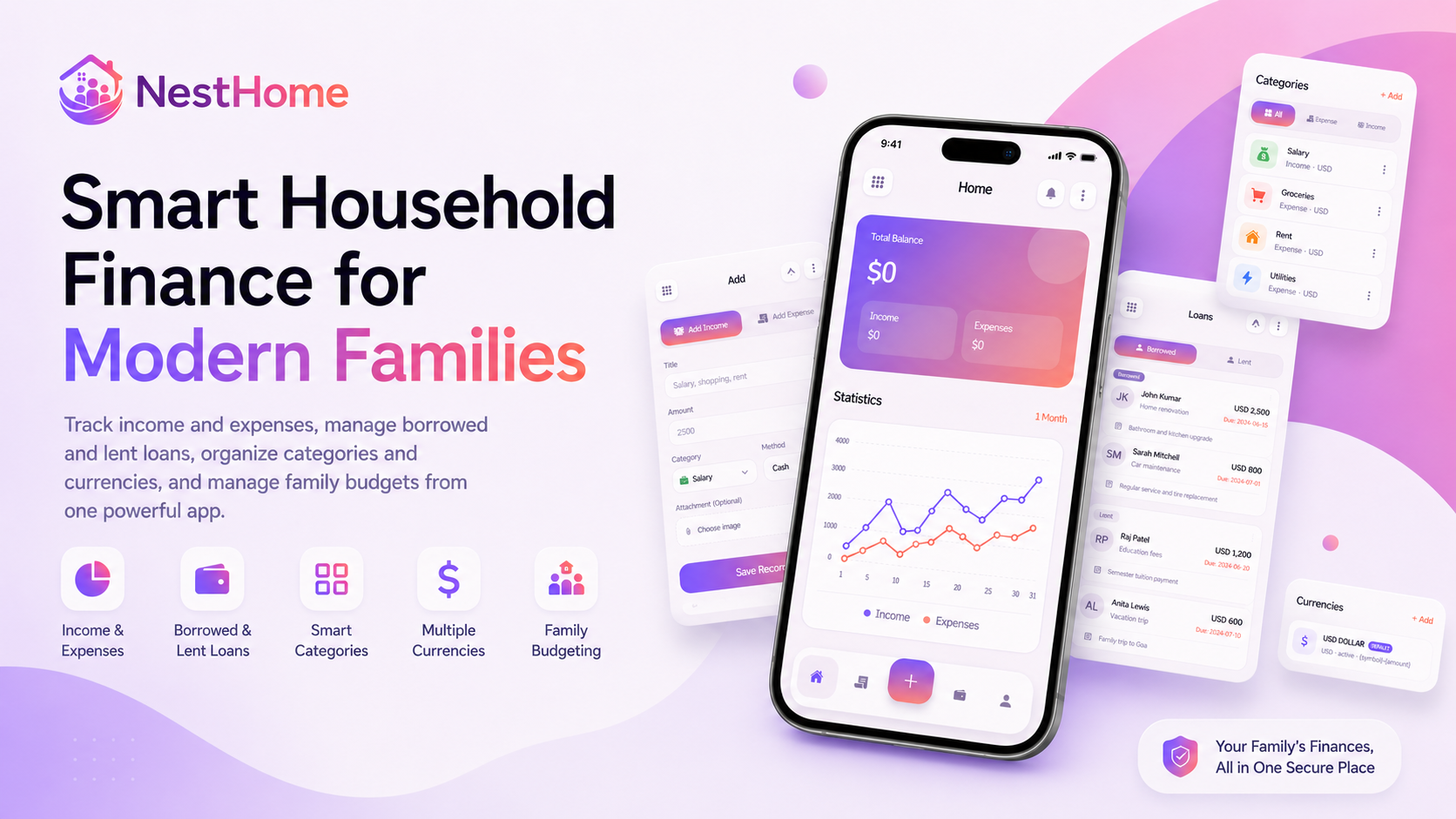
Now Live on the Web
NestHome: Manage Household Finances With Ease
Track income, organize expenses, manage borrowed and lent money,
collaborate with family members, and understand your financial
position through one beautifully connected platform.
Managing household finances should not require several spreadsheets,
handwritten notes, banking screenshots, receipt folders, and long family
message threads.
Yet for many individuals and families, financial information remains
scattered across different applications and devices. Income may be
recorded in one place, expenses in another, and borrowed or lent money
may depend entirely on memory.
This fragmented approach makes it difficult to answer simple but
important questions:
- How much money came into the household this month?
- Where was most of the money spent?
- How much money is currently owed?
- How much money is expected to be repaid?
- Which family member recorded a transaction?
- Is the household saving more than it is spending?
NestHome provides a more organized approach.
It is a household expense management platform designed to bring income,
expenses, loans, financial reports, family collaboration, categories,
currencies, notifications, archives, and data controls together in one
connected experience.
The NestHome web platform is already live and available at
nesthome.zactra.com
.
A dedicated Android application is also being prepared and will be
available soon.
What Is NestHome?
NestHome is a household finance and expense management platform for
individuals, couples, families, and shared households.
It provides one central location where users can record income, track
expenses, manage borrowed and lent money, review financial reports,
organize custom categories, work with multiple currencies, and
collaborate with other household members.
In simple terms:
NestHome transforms scattered household financial records into one
clear, searchable, and collaborative financial workspace.
NestHome is not limited to basic expense entry. It is designed to help
users understand their complete financial position, including the
difference between income and expenses, current savings, payment
activity, outstanding loans, household member activity, and spending
patterns over time.
The platform can be used by an individual managing personal finances or
by several family members working together inside a shared household.
Why Household Finance Needs a Better System
Most households do not lack financial information. The real problem is
that the information is often incomplete, outdated, or spread across too
many places.
One family member may record bills in a spreadsheet. Another may rely on
bank statements. Cash purchases may never be recorded, while personal
loans are remembered through messages or informal agreements.
This makes household planning difficult because nobody has a complete,
reliable, and up-to-date view.
From Financial Records to Financial Clarity
NestHome does more than store transactions. It organizes household
financial activity into balances, trends, reports, categories,
loans, notifications, and shared family records that are easier to
understand and act upon.
When information is organized correctly, households can identify
overspending earlier, understand whether savings are improving, follow
upcoming loan deadlines, and make decisions based on accurate records
rather than assumptions.
The Four Core Pillars of NestHome
1. Simple Financial Tracking
NestHome makes it easy to record income and expenses with useful
details such as amount, category, payment method, date, notes, and
supporting images. Users can search, edit, archive, restore, or
delete records whenever necessary.
2. Complete Financial Visibility
Dashboards, charts, financial metrics, and category reports help
users understand income, expenses, savings, cash flow, and
outstanding loans across daily, weekly, monthly, and yearly
periods.
3. Family Collaboration
Families can create a shared household, invite members, assign
roles, review member activity, respond to invitations, and manage
household finances from one common workspace.
4. Security and User Control
NestHome includes secure account access, password protection,
controlled family permissions, encrypted mobile session storage,
data export, record archiving, and self-service account controls.
One Dashboard for Your Household Finances
The NestHome dashboard provides a clear summary of the household’s
financial position without requiring users to review every individual
transaction.
A prominent balance area displays the total net balance, calculated from
recorded income and expenses. Separate financial cards show income and
expense totals, helping users quickly understand how money is moving
across the household.
1
Review the household’s total net balance.
2
Compare total income against total expenses.
3
Explore transaction trends across selected periods.
4
Monitor borrowed and lent loan activity.
5
Refresh household data without leaving the dashboard.
Visual charts allow users to compare income and expenses over one month,
six months, or one year. Loan charts provide a similar view of borrowed
and lent money, making it easier to identify changes over time.
The dashboard turns everyday records into an understandable picture of
the household’s current financial situation.
Add Income and Expense Records in Seconds
Everyday financial tracking should be quick enough to become a
consistent habit.
NestHome provides a structured form for recording both income and
expense entries. Each record can include:
- Transaction title
- Amount
- Income or expense category
- Payment method
- Transaction date
- Notes or description
- Optional image or receipt attachment
Payment methods can be used to distinguish between cash, bank transfers,
cards, digital wallets, and other transaction sources.
A searchable transaction feed allows users to locate records using the
transaction title, category, payment method, or household member name.
Recent entries are displayed immediately after they are added, helping
users confirm that the correct information was recorded.
Flexible Record Management
Transactions can be edited when details change, archived when they
should no longer appear in active lists, or permanently deleted
when they are no longer required.
Archived records are stored inside a dedicated vault and can be
restored later, helping protect users from accidental data loss.
Manage Borrowed and Lent Loans
Money borrowed from or lent to another person is often tracked
informally. A repayment date may be written in a message, while the
amount and purpose of the loan are left to memory.
NestHome provides separate systems for borrowed and lent loans, helping
users maintain clear records of both sides of personal lending.
Borrowed Loans
Users can record money they owe by entering the loan title, lender name,
amount, currency, due date, and an optional description.
Lent Loans
Money lent to another person can be recorded with the borrower’s name,
amount, currency, due date, purpose, and supporting notes.
An interactive calendar simplifies due-date selection, while dedicated
loan analytics help users compare borrowed and lent activity over time.
Loan records can also be edited, archived, restored, or permanently
deleted when necessary.
Designed for network reliability:
NestHome includes timeout-recovery safeguards intended to reduce
the risk of creating duplicate loan records when a connection
becomes unstable during submission.
Understand Where Your Money Goes
Recording financial data is useful, but understanding that data is what
supports better decisions.
NestHome reports can be filtered across different periods, including:
- Today
- This week
- This month
- This year
Financial metric cards highlight total income, total expenses, net
savings, cash flow, and outstanding loans.
Category-level reports help users understand which areas consume the
largest part of the household budget.
A household may discover that food costs are increasing, transportation
spending is declining, or recurring subscriptions need to be reviewed.
By comparing different periods, users can identify financial trends and
evaluate whether household habits are improving.
Built for Individuals and Families
Household finance is rarely managed by one person alone.
NestHome allows users to create a shared family space with a household
name, description, and base currency.
Other members can be invited by email, added directly, or connected
through a unique family joining code.
|
Role
|
Designed For
|
Access Level
|
|
Administrator
|
Household owners or financial managers
|
Broader control over members, settings, and household activity
|
|
Member
|
Active household participants
|
Participates in everyday financial tracking and collaboration
|
|
Viewer
|
Members who mainly need visibility
|
Reviews relevant household information with limited changes
|
Incoming invitations appear inside the platform and can be accepted or
rejected directly.
The member roster displays each person’s name, email, avatar, and role.
The current user is also clearly identified, helping households
understand who has access to shared financial information.
Non-owner members can leave a household when needed, with confirmation
controls designed to prevent accidental actions.
Organize With Smart Categories and Currencies
Every household organizes money differently. NestHome allows users to
create and edit custom categories for both income and expenses.
Categories can include a custom name and icon, making financial records
easier to recognize, search, and organize.
Before a category is deleted, NestHome can check whether transactions
are linked to it and warn the user about the potential effect on
existing records.
Smart Categories
Create custom categories for salaries, freelance income, groceries,
rent, utilities, transport, shopping, subscriptions, and any other
activity that matters to your household.
Multiple Currencies
Define currencies using an ISO code, name, symbol, and display
format, then select a default household currency for consistent
balance reporting.
Multi-currency support makes NestHome suitable for households that
receive income, spend money, or manage loans across different
currencies.
Stay Updated With the Notifications Hub
NestHome includes a central notification hub for important financial and
household updates.
Notifications use visual color categories to help distinguish between
different types of activity.
-
Green:
Income activity
-
Red:
Expense activity
-
Orange:
Loan activity
-
Violet:
Family and system updates
Notifications can be marked as read or unread, cleared together, or
deleted individually.
Relative timestamps such as “Just now,” “5 minutes ago,” or “2 days ago”
help users understand when an event occurred.
Archive Today and Restore Tomorrow
Sometimes a record needs to be removed from active lists without being
permanently deleted.
NestHome includes an archived vault for supported transactions, loans,
and categories.
Archived items remain separated from active financial records and can
be restored with a simple action.
More flexibility, fewer mistakes:
Archiving provides a safer alternative to permanent deletion and
gives users the option to recover records later.
Personalize Your NestHome Experience
Users can manage their profile information, including full name, phone
number, profile image, and account password.
NestHome also supports light mode, dark mode, and automatic system-based
themes.
This allows the interface to adapt to the user’s device preferences,
lighting conditions, and personal viewing style.
Password changes require current-password verification and a secure new
password, helping protect the account from unauthorized changes.
Export and Own Your Financial Data
Your financial information should remain accessible to you.
NestHome supports financial data exports in multiple formats:
-
CSV
for spreadsheet review and analysis
-
JSON
for structured backups and technical use
-
PDF
for readable reports, storage, and sharing
Exported information may be used for personal backups, financial
reviews, accountant collaboration, household reporting, or long-term
record keeping.
On supported Android devices, exported files can be written to an
approved storage location. On iOS, the system Share Sheet can be used to
save or share the file.
Security, Privacy, and Data Ownership
Household financial information requires careful protection.
NestHome is designed with secure authentication, protected sessions,
password recovery, controlled family roles, encrypted mobile session
storage, and HTTPS-based communication.
Sensitive passwords and session tokens are not intended to be logged or
stored as readable plain text.
On supported mobile devices, session information is stored through
encrypted native storage.
Additional account controls include:
- Secure user registration and sign-in
- Password recovery and reset support
- Current-password verification before password changes
- Secure logout and session removal
- Role-based household access
- Explicit confirmation before account deletion
- Personal financial data export
Your financial information should remain under your control.
NestHome provides tools to review, export, archive, restore, and
permanently remove information according to the user’s decisions.
Designed for a Reliable Everyday Experience
Financial tracking often happens while users are travelling, shopping,
paying bills, or moving between mobile and web environments.
A temporary connection problem should not immediately disrupt the
entire experience.
NestHome includes network timeout handling, retry logic, session
preservation, background synchronization, and non-destructive state
management during short connection interruptions.
Users receive clear fallback messages when the network is unavailable,
while the platform attempts to preserve the current session and visible
information.
NestHome vs. Traditional Expense Tracking
|
Capability
|
Traditional Method
|
NestHome Approach
|
|
Financial records
|
Scattered across notes, spreadsheets, and messages
|
Central income, expense, and loan records
|
|
Household access
|
Files are manually shared between people
|
Shared family workspace with assigned roles
|
|
Loan tracking
|
Often managed through memory or messages
|
Separate borrowed and lent loan systems
|
|
Reports
|
Manual formulas and spreadsheet updates
|
Automatic metrics, filters, charts, and category analysis
|
|
Record removal
|
Deleted information may be lost permanently
|
Archive and restore options for supported records
|
|
Data portability
|
Depends on the original file or application
|
CSV, JSON, and PDF export options
|
Who Can Benefit From NestHome?
NestHome can support different financial situations and household
structures.
-
Individuals
can manage personal income, expenses, savings, and loans from one place.
-
Couples
can maintain a shared view of household spending and financial activity.
-
Families
can collaborate through a common household account with controlled roles.
-
Shared households
can organize common expenses and identify who recorded each transaction.
-
Freelancers and self-employed users
can categorize different income and expense activities.
-
Multi-currency households
can define currencies and use a consistent household base currency.
NestHome Is Live on the Web
NestHome is already available as a live web platform.
Users can visit
nesthome.zactra.com
to create an account, organize household finances, record transactions,
manage loans, invite family members, and explore the platform’s
financial tools.
Android Application
The NestHome Android App Is Coming Soon
A dedicated Android application is being prepared to make household
financial tracking even more convenient on mobile devices.
The Android download link will be published when the application
becomes available. Until then, users can access the complete live
web platform through nesthome.zactra.com.
Why NestHome Matters
Financial clarity does not come from recording more numbers. It
comes from organizing those numbers in a way that people can
understand and use.
A household finance platform becomes genuinely useful when it helps
users capture everyday activity, understand long-term patterns,
coordinate with family members, protect important records, and
maintain control over their data.
NestHome brings these capabilities together in one connected
platform, helping households move from scattered financial
information toward a clearer and more confident way of managing
money.
Frequently Asked Questions
What is NestHome?
NestHome is a household expense management platform for tracking
income, expenses, borrowed money, lent money, financial reports,
categories, currencies, and shared family activity.
Is NestHome available now?
Is the Android application available?
The dedicated Android application is not yet publicly available.
Its download link will be published soon. The complete web platform
is already live.
Can NestHome be used by families?
Yes. Users can create a family household, invite other members,
assign administrator, member, or viewer roles, and manage shared
financial information.
Can NestHome track loans?
Yes. NestHome includes separate features for money borrowed from
lenders and money lent to borrowers. Users can record amounts,
currencies, due dates, names, and descriptions.
Does NestHome support multiple currencies?
Yes. Users can create and manage custom currencies with a code,
name, symbol, and preferred display format. A default currency can
be assigned to the household.
Can financial data be exported?
Yes. NestHome supports financial data exports in CSV, JSON, and PDF
formats.
Can archived transactions be restored?
Yes. Supported transactions, loans, and categories can be archived
and later restored through the archived records hub.
Does NestHome support dark mode?
Yes. NestHome supports light mode, dark mode, and automatic system
theme selection.
Where can I use NestHome?
Final Thoughts
Household money management becomes difficult when information is
incomplete, scattered, or inaccessible to the people who need it.
NestHome provides a more connected solution by combining expense
tracking, income management, loans, reports, family collaboration,
currencies, categories, notifications, archives, security, and data
export within one platform.
The goal is not simply to record what was spent. It is to help
individuals and families understand their financial position,
coordinate household activity, and make more informed decisions.
NestHome is already live on the web, and its upcoming Android
application will extend that experience further for mobile users.
Start Managing Smarter
Explore NestHome Today
Bring your income, expenses, loans, reports, and household financial
activity together in one organized platform.
Open NestHome
Web platform live now. Android application coming soon.

 Numan Khan


 E-mail
 Office