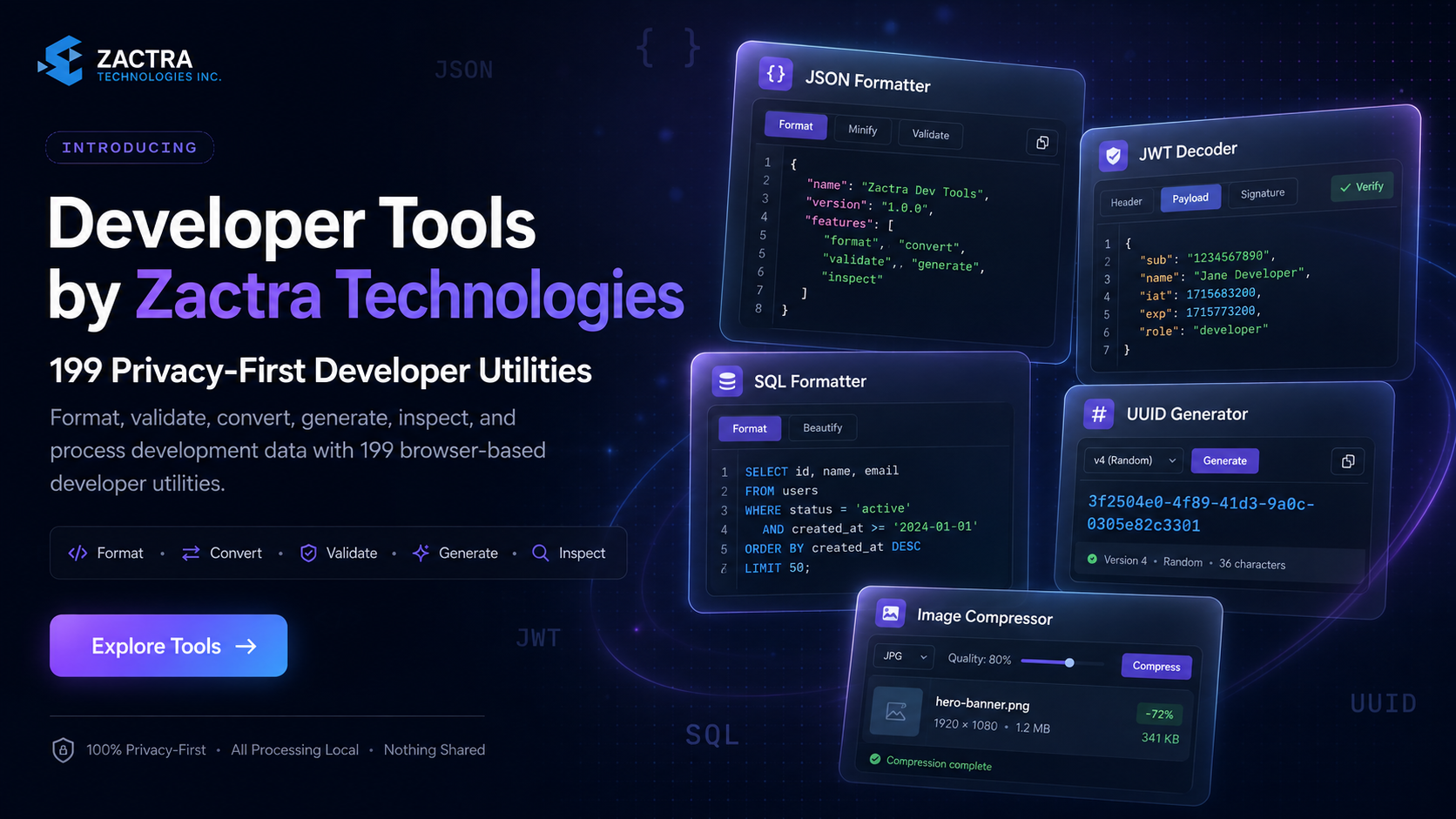
Developer Tools by Zactra Technologies
Introducing Developer Tools by Zactra Technologies: 199 Privacy-First Utilities That Run in Your Browser
Format, validate, convert, generate, inspect, and process development
data with a growing collection of browser-based utilities designed
for speed, clarity, privacy, and everyday engineering workflows.
199 Available Tools
37 Tool Categories
No Mandatory Account
Browser-Local Processing
Developers regularly move between separate websites, command-line
utilities, editor extensions, scripts, and documentation pages to
complete tasks that should take only a few seconds.
A developer may need to format a JSON response, decode a JWT, clean up an
SQL query, generate secure identifiers, compress an image, convert
Base64 data, inspect a URL, compare text, or calculate a timestamp.
Each task is simple on its own, but repeatedly finding and switching
between unrelated tools creates unnecessary friction.
Common concerns include:
- Is the utility safe to use with development data?
- Will the input be uploaded or stored?
- Does the tool require registration?
- Can the result be copied or downloaded quickly?
- Will the interface work comfortably on smaller screens?
- Is the tool focused, or overloaded with confusing controls?
Developer Tools by Zactra Technologies provides a more connected approach.
It brings a broad collection of development utilities into one
searchable platform with dedicated workspaces, clear workflows,
privacy notices, examples, readable errors, and related tools.
The platform is available at
tools.zactra.com
.
Core public utilities can be used without creating an account.
Developer Tools by Zactra Technologies is a browser-based platform that
brings commonly used software-development utilities into one organized
and searchable website.
The platform supports workflows involving data formatting, conversion,
validation, encoding, hashing, authentication, identifiers, SQL, text,
dates, URLs, web development, accessibility, configuration, images, and
other technical tasks.
In simple terms:
Developer Tools by Zactra Technologies gives developers one place
to paste, upload, convert, validate, generate, inspect, copy, and
download technical data without repeatedly searching for separate
utilities.
Each working utility has a dedicated page and focused interface. Users
can search the complete directory, browse by category, open a tool,
provide an input, choose relevant settings, run the operation, and copy
or download the result.
Why Developers Need a Better Utility Platform
Small technical tasks appear throughout the development process.
They occur while debugging APIs, reviewing logs, preparing database
queries, testing authentication flows, generating identifiers,
processing configuration files, and preparing assets.
These tasks rarely justify building a custom script every time, but
using an unfamiliar online utility can create privacy, reliability, and
usability concerns.
From Repetitive Tasks to Focused Workflows
Zactra replaces repeated searching and context switching with
purpose-built workspaces that keep the input, controls, output,
validation feedback, and supporting information together.
A useful developer-tool platform should reduce unnecessary interaction.
The most common action should be obvious, advanced settings should not
overwhelm first-time users, and results should be easy to copy,
download, or move into the next step of a workflow.
The Four Core Pillars of Developer Tools by Zactra Technologies
1. Privacy-First Processing
Many utilities process data directly in the browser. The interface
clearly identifies local tools so users can understand when ordinary
inputs remain on their device.
2. Focused and Understandable Workspaces
Each tool is organized around a clear primary action. Inputs,
settings, validation messages, results, copy actions, and downloads
appear in a predictable workflow.
3. Broad Development Coverage
The platform provides 199 available utilities across 37 categories,
covering many recurring backend, frontend, data, security,
debugging, configuration, and productivity tasks.
4. Fast Discovery and Reuse
Search, category filters, related-tool links, examples, local draft
recovery, copy controls, and downloads make it easier to repeat
common workflows without rebuilding them from the beginning.
The platform is designed as more than a collection of unrelated pages.
Tools are grouped into recognizable categories so users can browse
according to the task they are trying to complete.
|
Category
|
Example Tasks
|
|
JSON and Data
|
Format, validate, minify, compare, convert, inspect, and query data.
|
|
Encoding and Cryptography
|
Base64, URL encoding, hashes, HMAC, checksums, passwords, and secrets.
|
|
Authentication and Identifiers
|
Decode JWTs and generate UUIDs, ULIDs, ObjectIds, and random IDs.
|
|
SQL and Database
|
Format SQL, generate queries, parse connection strings, and prepare data.
|
|
Text, Dates, and URLs
|
Compare text, convert cases, calculate time, parse URLs, and build query strings.
|
|
Frontend and Media
|
Process HTML, CSS, colors, SVGs, metadata, accessibility, and images.
|
The complete directory includes search and category filtering, making it
possible to locate a utility by its name, data type, programming task,
or intended outcome.
The platform includes specialized workspaces for popular tasks as well
as reusable interfaces for simpler transformations and generators.
The JSON Formatter helps developers turn compact or inconsistently
formatted JSON into a readable structure.
Users can paste JSON, load an example, upload a compatible file, format
the content, check its validity, create a compact version, inspect the
data in code or tree views, copy the result, and download the formatted
output.
Practical JSON Uses
- Review API responses
- Validate configuration files
- Locate missing commas or brackets
- Inspect deeply nested objects
- Prepare readable examples for documentation
- Minify structured data before transport or storage
Open the
JSON Formatter
to format or validate JSON directly in your browser.
The JWT Decoder separates a token into its encoded header, payload, and
signature sections so developers can inspect claims during
authentication debugging.
The tool presents readable JSON and helps identify fields such as the
issuer, subject, audience, issued-at time, and expiration time.
Important security warning:
Decoding a JWT does not verify its signature, issuer, audience, or
trustworthiness. A decoded token must not automatically be considered
authentic.
Open the
JWT Decoder
to inspect token structure and claims.
Long SQL statements can become difficult to review when joins,
conditions, nested expressions, and ordering rules are compressed into
a single line.
The SQL Formatter restructures queries with consistent indentation and
line breaks, helping developers review logic, identify clauses, compare
changes, and prepare queries for documentation or team discussions.
Common SQL Formatting Scenarios
- Review generated ORM queries
- Clean SQL copied from logs
- Prepare code-review examples
- Compare query versions
- Improve readability before optimization work
Generate UUIDs and Other Identifiers
Identifier tools support development workflows that require unique
values for database records, API objects, tests, fixtures,
distributed systems, and temporary resources.
Zactra includes UUID generation alongside additional identifier
utilities such as ULIDs, MongoDB ObjectIds, Snowflake-style values, and
random IDs.
Open the
UUID Generator
to generate identifiers individually or in bulk.
The Image Compressor provides a guided workflow for reducing image file
size without requiring desktop editing software.
Users can upload or drag images into the workspace, choose compression
settings, optionally resize dimensions, start processing, review the
result, and download individual files or a batch archive.
A Clear Four-Step Image Workflow
1. Upload
Select or drag one or more supported image files.
2. Configure
Choose quality, output format, and optional dimensions.
3. Compress
Process the selected images inside the browser.
4. Download
Save the optimized images individually or together.
Open the
Image Compressor
to reduce image size without uploading ordinary files to a remote
editing service.
Privacy-First Browser Processing
Development data can contain API responses, internal URLs,
authentication claims, database structures, configuration values, file
contents, and other information that should be handled carefully.
Zactra is designed to process data locally whenever the operation can be
completed safely inside the browser. Local utilities display a visible
label so users can distinguish browser-side processing from features
that may require a server.
What Browser-Local Means
For a browser-local tool, ordinary input is processed by code
running on the user’s device rather than being submitted for
server-side transformation.
Features such as account storage or explicitly created share links
may involve server communication and should be treated separately
from normal local tool use.
Users should still avoid pasting production passwords, private keys,
live access tokens, confidential customer data, or other highly
sensitive values into any tool unless they fully understand the
processing and security implications.
A Cleaner and More Consistent Developer Experience
The platform uses a unified dark interface inspired by professional
developer applications. Deep navy surfaces, violet accents, clear
typography, subtle borders, and focused panels keep attention on the
active task.
Common controls appear consistently across compatible tools:
- Load an example
- Upload a file
- Run the primary operation
- Copy the result
- Download output
- Clear the workspace
- Open optional or advanced settings
- Review readable validation errors
Wider workspaces provide more room for code, structured data, tables,
and previews. On smaller screens, layouts reorganize into a vertical
flow so controls remain accessible.
How to Use Developer Tools by Zactra Technologies
Step 1: Search or browse
Use the site search, open the complete tool directory, or browse
one of the available categories.
Step 2: Open the required utility
Select the tool that matches the input format or development
task.
Step 3: Provide the input
Paste text, enter a value, load an example, or upload a
supported file.
Step 4: Choose optional settings
Adjust formatting, conversion, output, quantity, quality, or
other relevant options.
Step 5: Run the operation
Use the primary action to format, validate, convert, generate,
compare, inspect, or process the input.
Step 6: Copy or download
Review the result, then copy it, download it, or continue with a
related tool.
Use Core Tools Without Creating an Account
Registration is not placed between visitors and the core developer
utilities.
Users can open a public tool page and begin working immediately. Account
features are optional and are intended for people who want capabilities
such as favorites, collections, saved sessions, recent activity, or
other personalized organization.
Core principle:
Opening and using a public developer utility should remain fast,
direct, and free from unnecessary account barriers.
Zactra Developer Tools vs. Disconnected Utility Websites
|
Capability
|
Disconnected Tools
|
Zactra Approach
|
| Discovery |
Repeated web searches |
One searchable tool directory |
| Interface |
Different layout for every website |
Consistent workspaces and controls |
| Privacy clarity |
Processing behavior may be unclear |
Local processing is visibly identified |
| Related tasks |
Search for another website |
Related tools and category links |
| Registration |
May be required before use |
No mandatory signup for core tools |
Who Can Benefit From Zactra Developer Tools?
The platform supports developers and technical professionals working
across different languages, frameworks, roles, and experience levels.
-
Frontend developers
can work with JSON, URLs, HTML, CSS, colors, SVGs, metadata, images,
accessibility, and browser-related data.
-
Backend developers
can inspect API payloads, JWTs, SQL, identifiers, hashes,
timestamps, configuration formats, and database values.
-
Full-stack developers
can move between frontend, backend, API, database, and DevOps tasks
through one platform.
-
QA engineers
can generate test values, inspect responses, compare text, validate
formats, and prepare sample data.
-
Students and junior developers
can use examples, readable errors, explanations, and structured
outputs while learning technical formats.
-
Technical writers and support teams
can format examples, clean data, create readable documentation, and
inspect customer-provided technical information.
Clear Safety and Accuracy Limitations
Developer utilities can assist with formatting, transformation,
inspection, and generation, but they do not replace engineering review.
- Formatted data may still contain incorrect values.
- Valid syntax does not guarantee valid business logic.
- Decoded authentication data is not automatically trustworthy.
- Generated SQL must be reviewed before execution.
- Generated secrets must be handled according to security requirements.
- Compressed media should be reviewed before publication.
Recommended practice:
review every generated or transformed result before using it in
production, security-sensitive, financial, or customer-facing systems.
Developer Tools by Zactra Technologies Is Live on the Web
The platform is available through any modern web browser.
Visit
tools.zactra.com
to browse the tool directory, explore categories, read development
guides, and begin using the available utilities.
Explore the Platform
Start Using Zactra Developer Tools Today
Search 199 available utilities, choose the tool that matches your
task, and process development data through a clear browser-based
workflow.
Browse All Developer Tools
Why Developer Tools by Zactra Technologies Matters
A useful developer-tool platform does more than collect small
utilities. It reduces repeated searching, provides consistent
interactions, explains processing behavior, and helps developers
move from input to usable output with less friction.
Zactra combines privacy-first browser processing, focused
workspaces, searchable categories, readable guidance, and a broad
catalog in one platform.
The goal is straightforward: help developers spend less time
managing repetitive transformations and more time building,
debugging, reviewing, and improving software.
Frequently Asked Questions
What is Developer Tools by Zactra Technologies?
It is a browser-based platform containing utilities for formatting,
validation, conversion, encoding, generation, inspection, data
processing, and other common software-development tasks.
Where can I use the platform?
How many tools are currently available?
The current platform presents 199 available tools across 37
development categories.
Do I need an account to use the tools?
No mandatory account is required for core public utilities.
Optional account features can help users organize favorites,
collections, sessions, and activity.
Does my input stay in the browser?
Many tools are designed to process ordinary input locally in the
browser and display a local-processing label. Features that require
accounts, explicit sharing, remote data, or backend services may
communicate with the server.
Can I upload files?
Compatible tools support file upload where appropriate, including
structured-data and image workflows.
Can I copy or download results?
Applicable tools provide copy and download controls so results can
be reused in projects, documentation, testing, or other workflows.
Does the JWT Decoder verify tokens?
No. Decoding displays the token structure and claims but does not
establish signature validity, issuer trust, audience validity, or
authenticity.
Is the website mobile-friendly?
The interface is designed to reorganize tool layouts for smaller
screens. Code-heavy or multi-panel tasks may remain more comfortable
on a larger display.
Are generated results guaranteed to be production-ready?
No. Generated, converted, or formatted results should always be
reviewed and tested before production use.
Final Thoughts
Everyday software development involves many small tasks that can
interrupt concentration when they require separate scripts,
applications, or unfamiliar websites.
Developer Tools by Zactra Technologies brings these tasks together
through a searchable directory, 37 categories, 199 available
utilities, consistent interfaces, privacy-first browser processing, and
clear supporting information.
Developers can open a tool without mandatory registration, provide an
input, adjust relevant settings, run the operation, and copy or download
the result.
The result is a more focused workflow designed to reduce repetitive
work and help developers move efficiently from technical input to
reviewed output.
Privacy-First Developer Utilities
Explore Developer Tools by Zactra Technologies
Format, validate, convert, generate, inspect, and process technical
data through a fast browser-based platform.
Open Zactra Developer Tools
No mandatory account for core utilities. Local processing is clearly identified.

 Numan Khan


 E-mail
 Office